
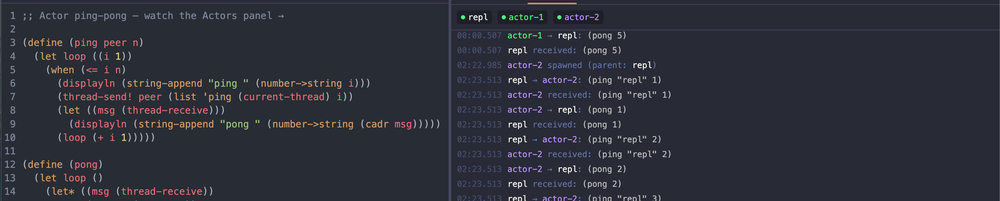
Gerbil Playground is a browser-based REPL for Gerbil Scheme — a batteries-included, actor-oriented Scheme that compiles to C via Gambit. You open a page, get a real REPL backed by a dedicated container, and start writing Scheme. No install, no setup.
v1.0 shipped the core: a stateful REPL, a scratchpad editor, an environment panel, guided examples, and snippet sharing. v1.1 added module support and better error handling. v1.2 is about making the playground useful in contexts we didn't originally design for: inside other people's documentation, on a phone, and (hoping this is useful!) as a window into Gerbil's concurrency model.
Actor Message Log
One of Gerbil's headline features is actors — lightweight threads that communicate by message passing, supervised and composable, running on a runtime that compiles to C. It's the feature that made me look twice at a Scheme in 2023.
The problem with concurrency in a REPL is that it's invisible. You type (spawn ...) and get back a thread object. Messages fly between threads, but the REPL only shows you what you explicitly print. The interesting part (the choreography of send and recv across actors) happens entirely offscreen.
v1.2 instruments this. The eval server wraps spawn, thread-send, and thread-receive with versions that record events to a mutex-protected log. Each actor gets a name (either user-provided via spawn/name or auto-assigned like actor-1, actor-2). Messages are serialized with a deep-walking resolver that replaces raw thread objects with their registered names, so instead of seeing #<thread #3> in a message, you see pong-actor.
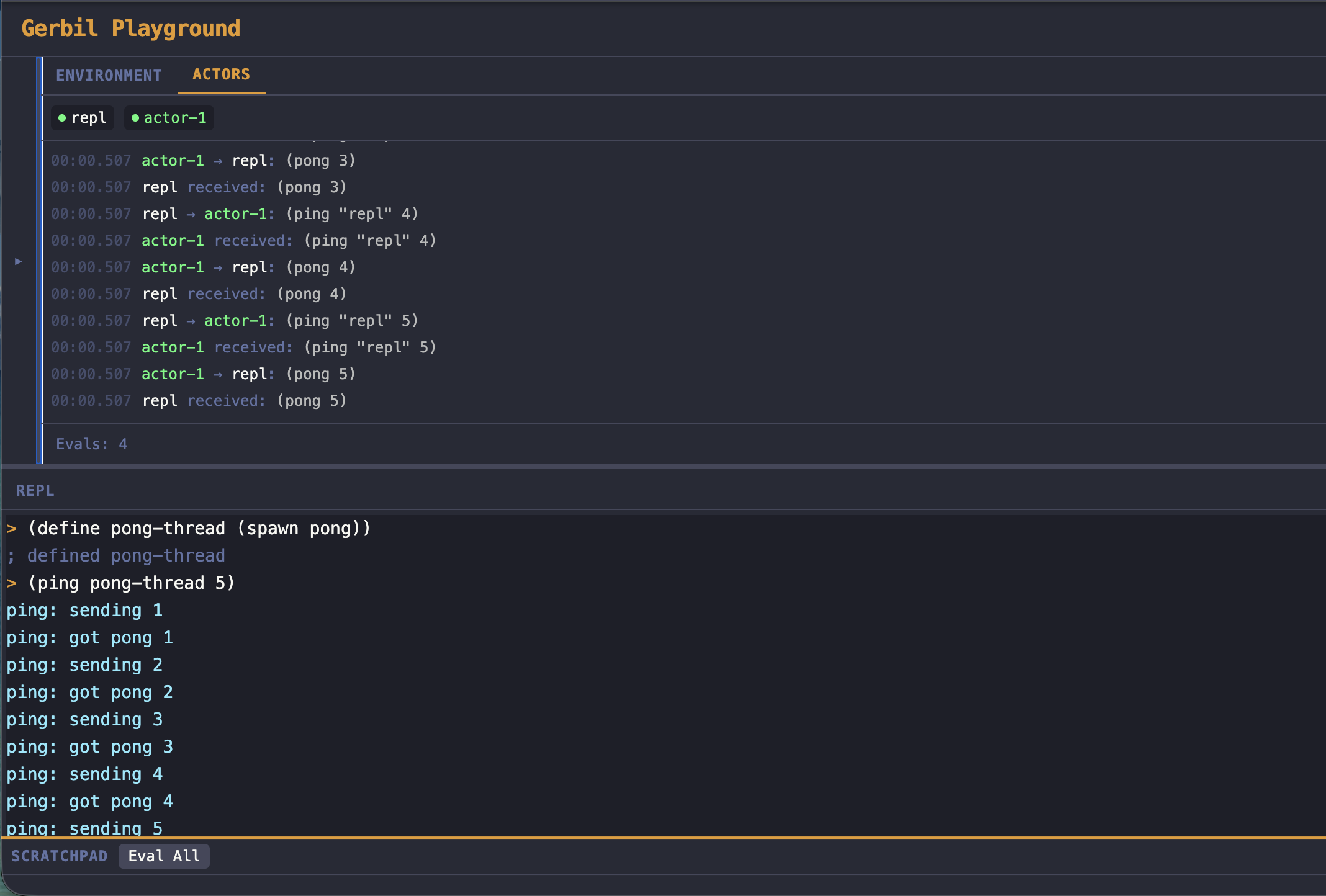
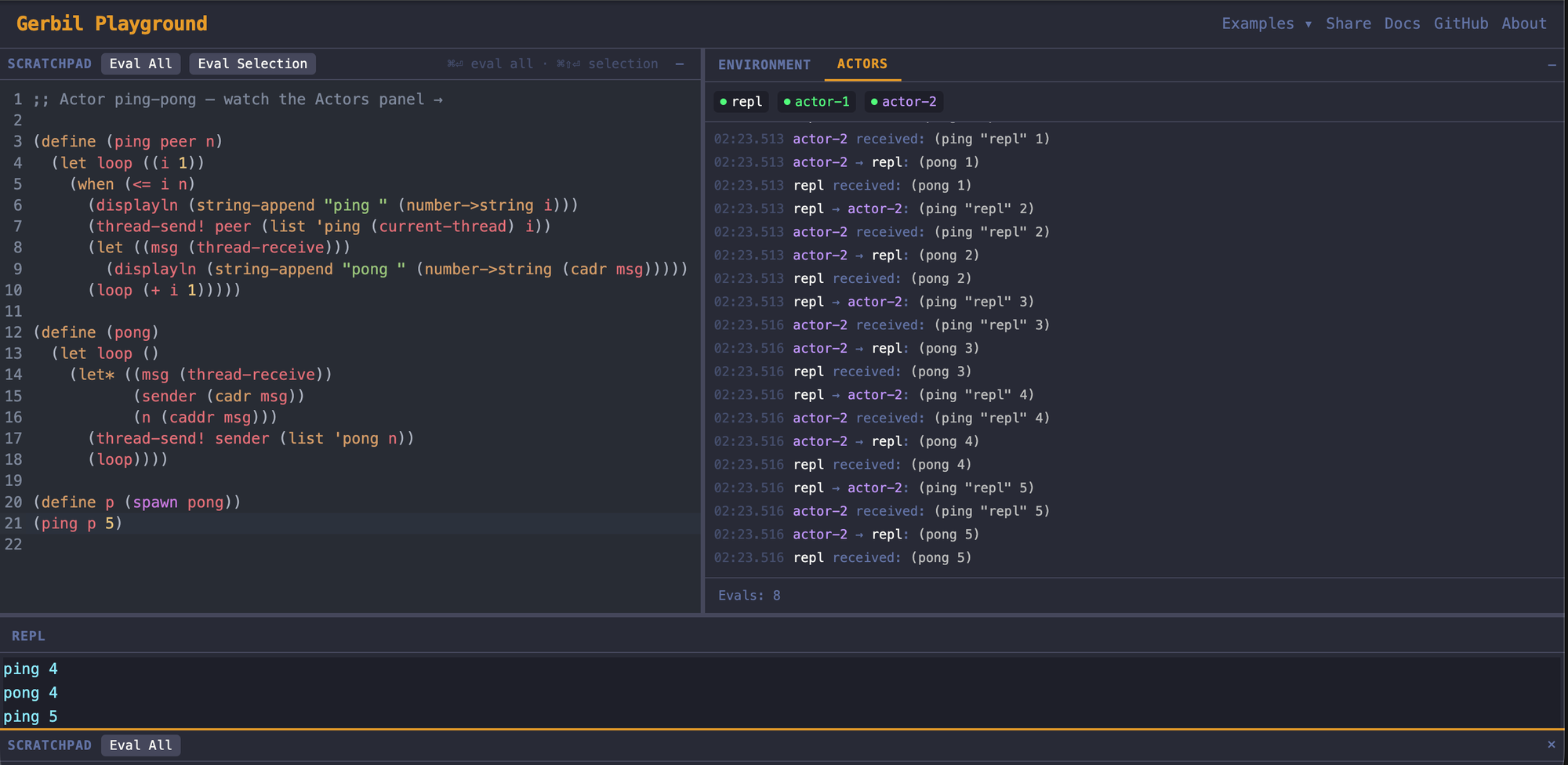
On the frontend, the Session panel gains an Actors tab that activates the moment you spawn your first thread. Actor badges line up across the top — repl first (your REPL thread), then spawned actors in order. Below them, a chronological event log, color-coded per actor:
[0.00s]  repl      spawn   → ping-actor
[0.00s]  repl      spawn   → pong-actor
[0.01s]  repl      send    → ping-actor: (start pong-actor 3)
[0.02s]  ping-actor send   → pong-actor: (ping ping-actor 3)
[0.03s]  pong-actor send   → ping-actor: (pong pong-actor 3)
This is a text log, not a graph visualization ... that's possibly coming later, depending on when I get time for it (maybe never, we'll see). But even a text log makes actor communication tangible in a way that displayln debugging never does.
You can trace the full message flow, see which actor sent what to whom, and understand the concurrency pattern without instrumenting your own code.
The polling is demand-driven: the frontend checks for new events every 500ms while activity is flowing, then backs off after 5 seconds of quiet. No wasted requests when you're just doing arithmetic.
repl in the actor name table, so when you send a message from the prompt, the log shows repl → actor-1 rather than an anonymous thread reference. It's a small thing, but it closes the gap between "the code I typed" and "the system that's running."Embeddable Mode
A playground is only as useful as the contexts where people encounter it. If someone's reading Gerbil docs or a blog post about actors, the best thing is a live REPL right there in the page — not a link that opens a new tab and breaks the flow.
v1.2 adds embed parameters that strip the playground down to just the parts you need:
?embed=1gives you scratchpad + REPL, no header or session panel?embed=1&panel=replgives you REPL only, full width?embed=1&code=BASE64pre-loads code into the scratchpad?embed=1&run=1&code=BASE64pre-loads and auto-evaluates on connect
That last one is the interesting case. Drop an <iframe> into your documentation with a base64-encoded snippet and run=1, and readers see both the code and its output the moment the page loads: a 200ms container boot plus a 200ms intentional delay to let the session stabilize. It's not instant, but it's fast enough that it feels like the code was already running.
The embed works in iframes at 400px height or taller. On mobile, embed mode hides the tab bar to maximize screen real estate. The useEmbedMode hook parses URL parameters once via useMemo and threads the mode through the component tree: no re-parsing on re-render.
Here's an example, embedded live, right in this post!
The use case I'm most excited about: Gerbil's own documentation could embed live, runnable examples. Not "copy this into your terminal" — actually run it, right here, with a real Gerbil runtime backing it. We'll see if that happens.
Mobile Layout
A REPL on a phone sounds like a bad idea, and for serious work it probably is. But for the "I'm reading about Gerbil on the train and want to try one thing" use case, it matters that the experience doesn't completely fall apart.
The mobile layout (below 768px) puts the REPL front and center: having the full screen between the header and a bottom tab bar. The scratchpad and session panel live in slide-up drawers that cover 60% of the viewport, toggled from the tab bar. An amber notification dot on the Session tab pulses when new actor events arrive while the drawer is closed.
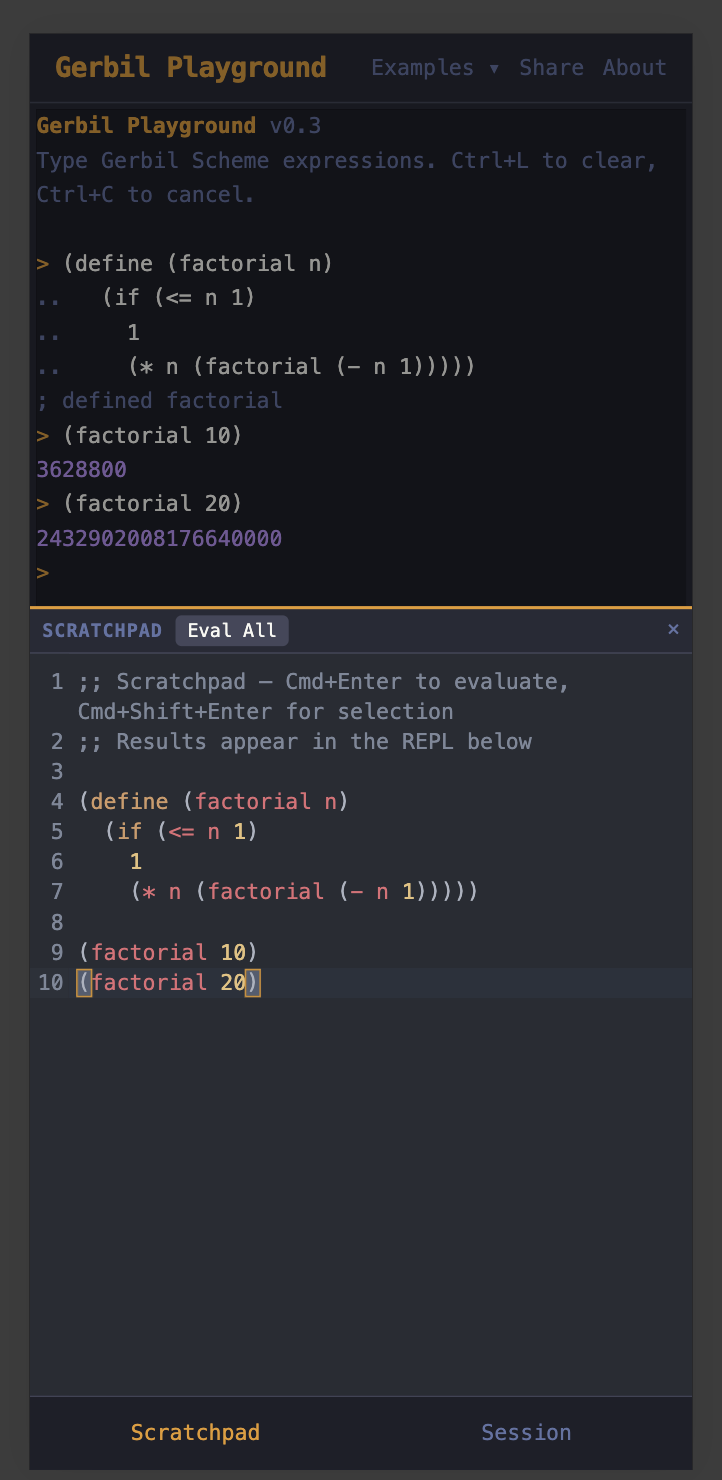
The technical story here is more interesting than the design story. The first implementation used conditional rendering — the scratchpad in a desktop panel, or a mobile drawer, depending on breakpoint. This caused a production bug (shoutout to the Gemini audit that caught this!): React unmounted and remounted the components on breakpoint change, which killed session hook state and broke eval.
The fix uses React portals. The Scratchpad, SessionPanel, and Repl components each render exactly once. On desktop, portals place them into their respective panel containers. On mobile, portals move them into drawer containers. The components never unmount — they just change where in the DOM they appear. The xterm.js terminal, the CodeMirror editor, the WebSocket connections... they all survive the transition intact.
A few other details that took more effort than they should have: 100dvh instead of 100vh for mobile Safari's dynamic address bar, viewport-fit=cover with env(safe-area-inset-bottom) for the iPhone notch, and transitionend events (not hardcoded timeouts) to trigger terminal resize after drawer animations complete. The usual mobile tax.
Resizable Panes
Less dramatic than the other features, but honestly the one that most improves daily use: all three panels are resizable via drag handles, and the scratchpad and session panel are independently collapsible. Layout preferences persist to localStorage.
This uses react-resizable-panels with nested panel groups — a vertical group splitting the top row from the REPL, and a horizontal group splitting the scratchpad from the session panel within the top row. The REPL is never collapsible; it's the primary interface.
Collapsed panels use CSS display: hidden, not conditional rendering. We learned that lesson from the mobile work — unmounting panels that hold session state is a footgun. The panel is still in the DOM, still holding its hooks and state, just not painted.
What's Next
v1.2 is the "make it useful beyond the happy path" release. The core REPL experience hasn't changed: it's still the same 2ms eval latency, same container-per-session statefulness, same guided examples. What changed is where and how you encounter it.
The (potential, hypothetical) v2 roadmap has the features that require deeper work: e.g. graphical actor visualization with D3 (we could have nodes and animated message edges instead of a text log!) tab completion, more pre-loaded stdlib modules, and community features like featured snippets and remixing. No timeline on any of that.
Try it at trygerbil.dev. The Actor Ping-Pong example is the best showcase of the new actor log: it spawns two actors that volley messages back and forth, and you can watch the whole exchange unfold in the Actors panel.
The playground is open source. If you're interested in Gerbil, the REPL is waiting. If you're interested in how the playground works (Cloudflare Containers, compiled Scheme binaries, cross-model development with Claude Code and Gemini) that's a whole other post. Will write that someday.